
Microsoft has made changes to their operating system and made it more difficult to get the HEVC H.265 Video Codec for FREE for your Windows 10 and 11. The steps that I had documented in my last post, Download Windows 10 HEVC H.265 Video Codec for FREE, back in 2019 no longer work, so here is the updated way to do it.
It’s actually a lot easier now!
Head over to the Codec Guide web-site and download and install the driver from their page. They have multiple options to choose from. on their page, including:
Head over to the Codec Guide web-site and download and install the driver from their page. They have multiple options to choose from. on their page, including:

- Standard
- Full
- Mega
- Basic
- Beta
- and Update
This is how they describe their different vaiants:
- The basic variant contains everything you need to play all the common video file formats. Such as AVI, MKV, MP4, OGM, and FLV. This pack is for those who like a small no-nonsense pack. It is small, but powerful.
- The standard variant contains a few additional features compared to the basic variant. It contains Media Player Classic, which is an excellent player for video files. This pack is recommended for the average user.
- The full variant has some extras compared to the standard variant. It additionally contains GraphStudioNext, and a few extra DirectShow filters.
- The mega variant is the most complete pack. It additionally contains VFW/ACM codecs for video encoding/editing.
I chose the “MEGA” option to cover every format that I might run into, especially with editing video.
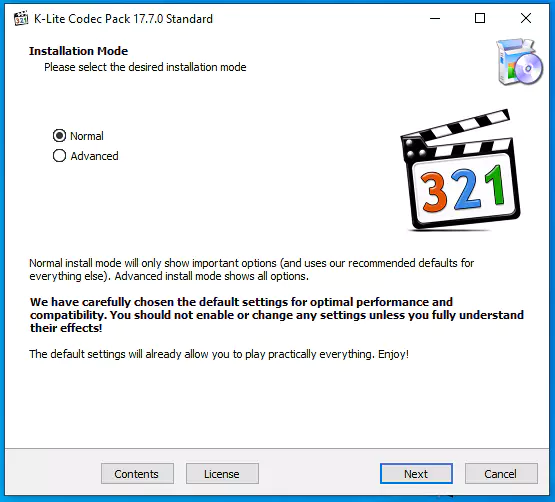
Installing the K-Lite Codec Pack should cover you for most circumstances.
Still having problems?
If you do run into any other software that still does not recognize the video files, you many need to install the Media Foundation Codecs. I had to do that to get Davinci Resolve to work for editing, even though playback through VLC worked after installing the initial Codec package.
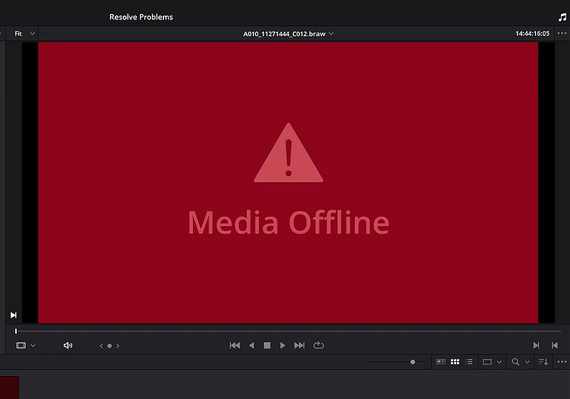
Davinci Resolve through out a “Media Offline” error when I tried to access the video files, but installing the Media Foundation Codecs for Windows 10 and 11 from the Codec Guide site fixed that for me.
Some of the other programs that are reported to need the Media Foundation Codecs are:
- Windows Media Player (new modern Windows 11 version)
- Windows Media Player (legacy) (can also use DirectShow codecs)
- Movies&TV / Films&TV
- Windows Photo Viewer
- Windows Explorer (for thumbnails)
- Adobe Premiere
- Vegas Pro
- DeoVR
- Davinci Resolve
The Codec Guide is regularly updating the Codecs in the packs, so it’s worth having auto-update enabled.
Many thanks to the Codec Guide site and the people that put it together, it’s helped me with many projects, and will hopefully help you out too.